
PEP & Sanctions Screening Help Guide
Realaml’s IDV tools deliver accurate PEP & Sanctions checks with smart filters and logic to reduce false positives and boost relevance.
-1759956464-3.png)
PEP & Sanctions Screening Help Guide
Realaml’s enhanced Identity Verification (IDV) tools now offer smarter, more targeted PEP & Sanctions Screening – giving you greater control, fewer false positives, and faster compliance workflows.
PEP Screening Is Built Into IDV by Default
Whenever you run a:
-
✅ Face IDV, or
-
✅ Quick IDV
✅ Face IDV, or
✅ Quick IDV
a PEP & Sanctions check is automatically included in the background. You don’t need to run a separate check unless you want to do so manually.
You can also choose to run a standalone PEPCheck (see below).
What’s New in Realaml’s Screening Logic?
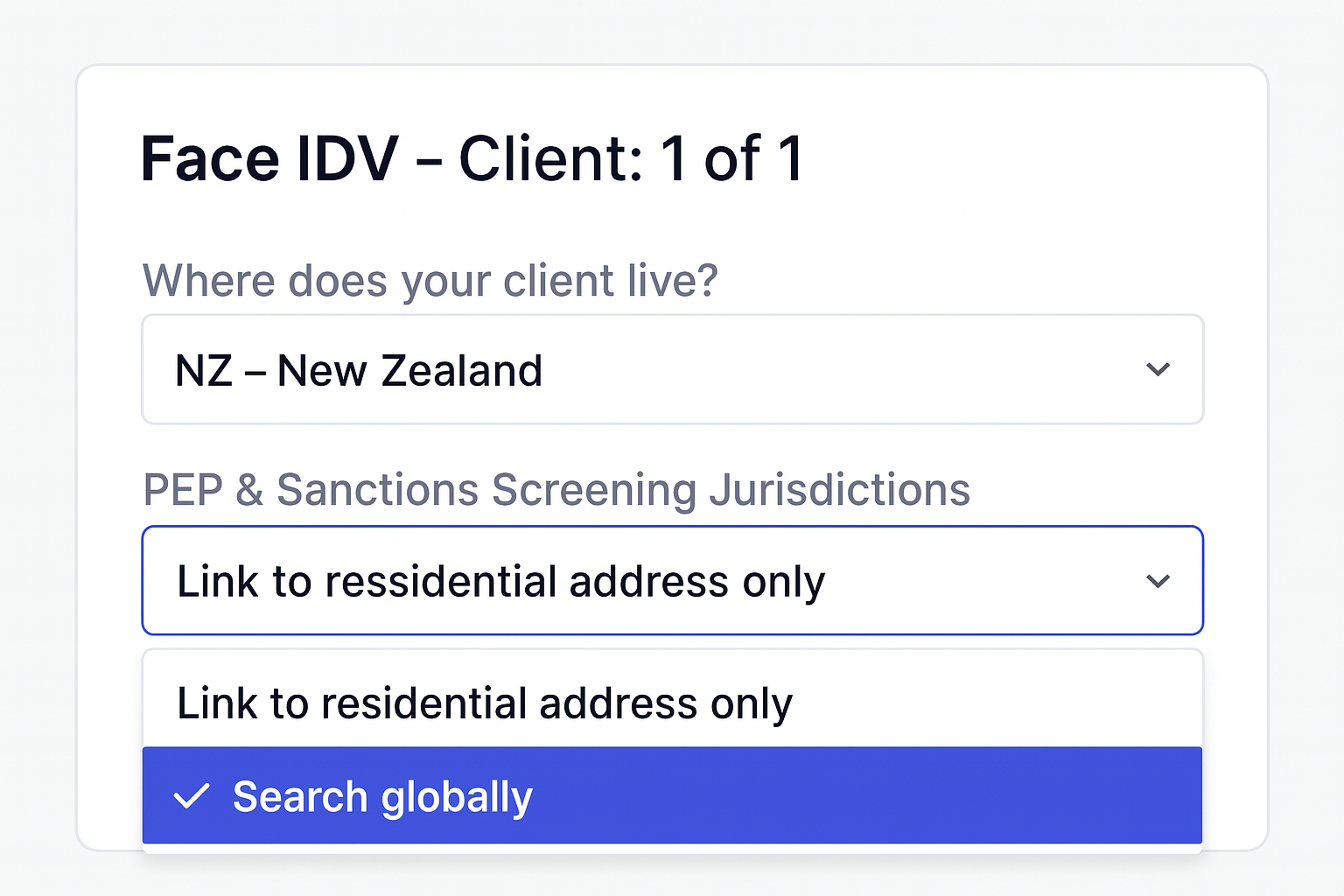
1. Country-Based Filtering
You now have control over the scope of screening:
-
Search globally (default) – includes all jurisdictions
-
Link to residential address only – only flags matches in the customer’s country of residence
Search globally (default) – includes all jurisdictions
Link to residential address only – only flags matches in the customer’s country of residence
Example:
If your customer lives in Canada and a PEP hit is found in Australia:
-
“Search globally” will flag the match
-
“Link to residential address only” will ignore it
“Search globally” will flag the match
“Link to residential address only” will ignore it
2. Date of Birth (DOB) Matching
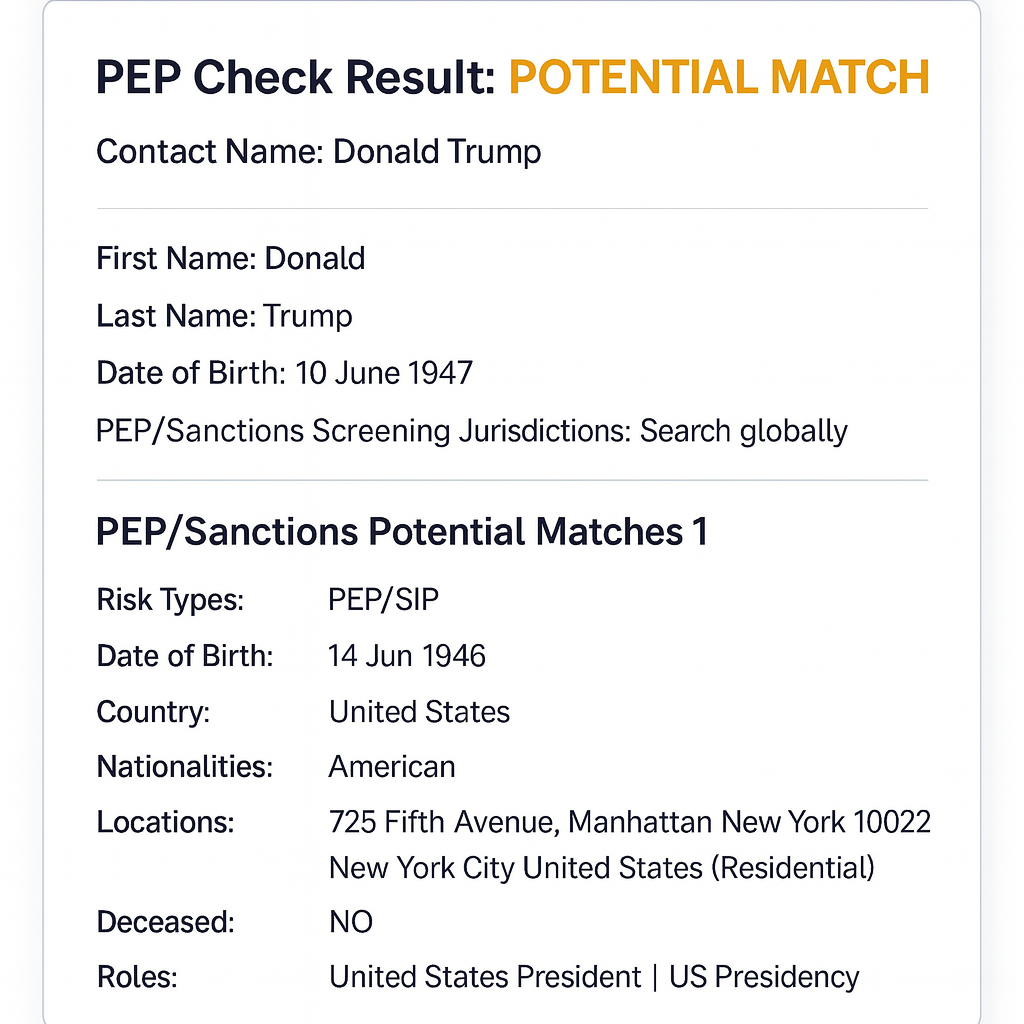
Matches are only shown when the DOB is within ±1 year of your customer’s.
Example:
Your client is born in 1980. A record from 1979–1981 will be flagged; outside this range will be ignored.
3. Stricter Name Matching
Matches now require an 85%+ similarity on both first and last name. This sharply reduces irrelevant matches from common or partial names.
What Is PEPCheck?
PEPCheck screens individuals for:
-
Politically Exposed Persons (PEPs)
-
Relatives and Close Associates (RCAs)
-
Special Interest Persons (SIPs)
-
Against over 2,000 global sanctions, criminal, and enforcement lists
Politically Exposed Persons (PEPs)
Relatives and Close Associates (RCAs)
Special Interest Persons (SIPs)
Against over 2,000 global sanctions, criminal, and enforcement lists
How to Run a PEPCheck
Step 1:
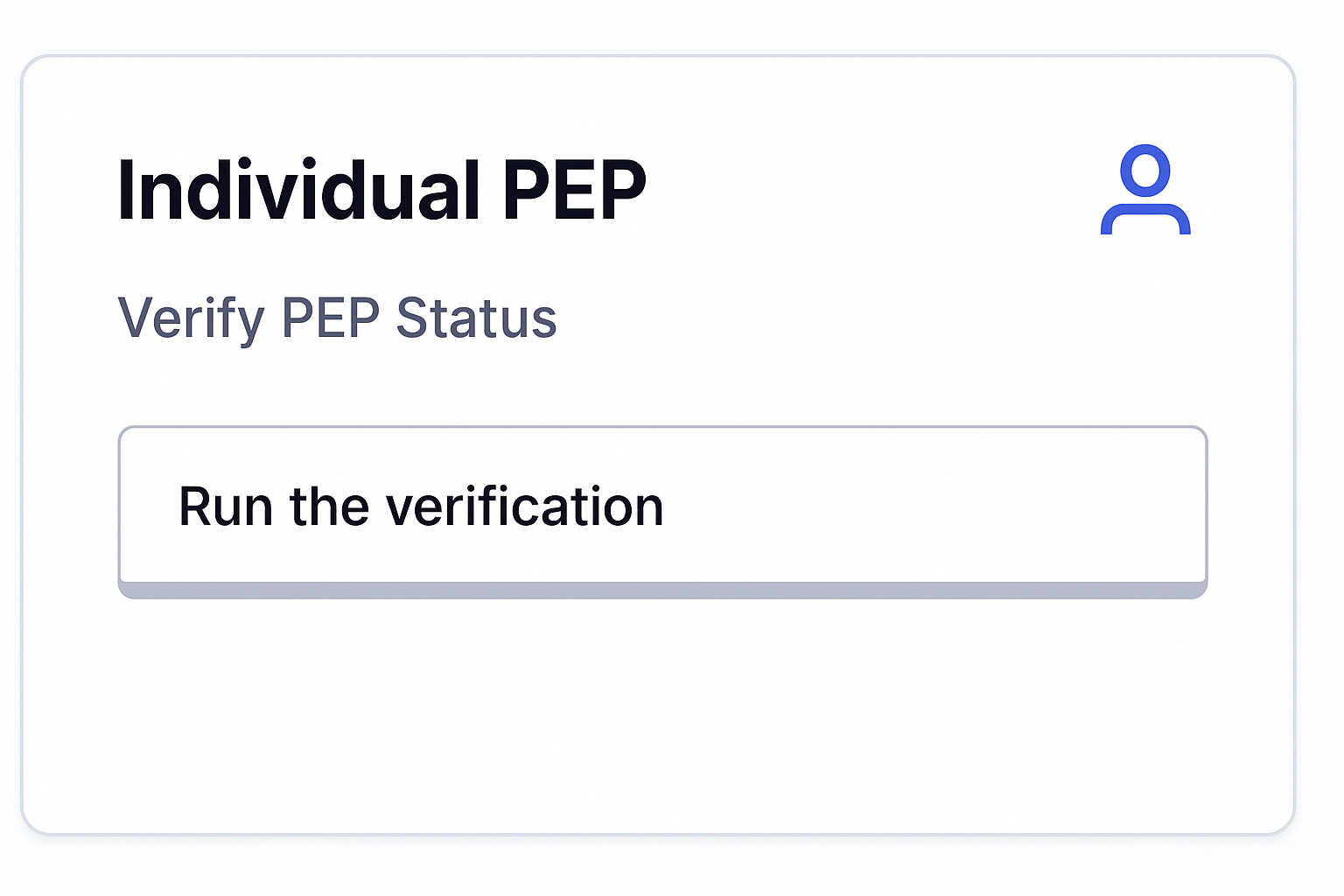
Go to the Run Checks tab → click the PEPCheck tile.
Step 2:
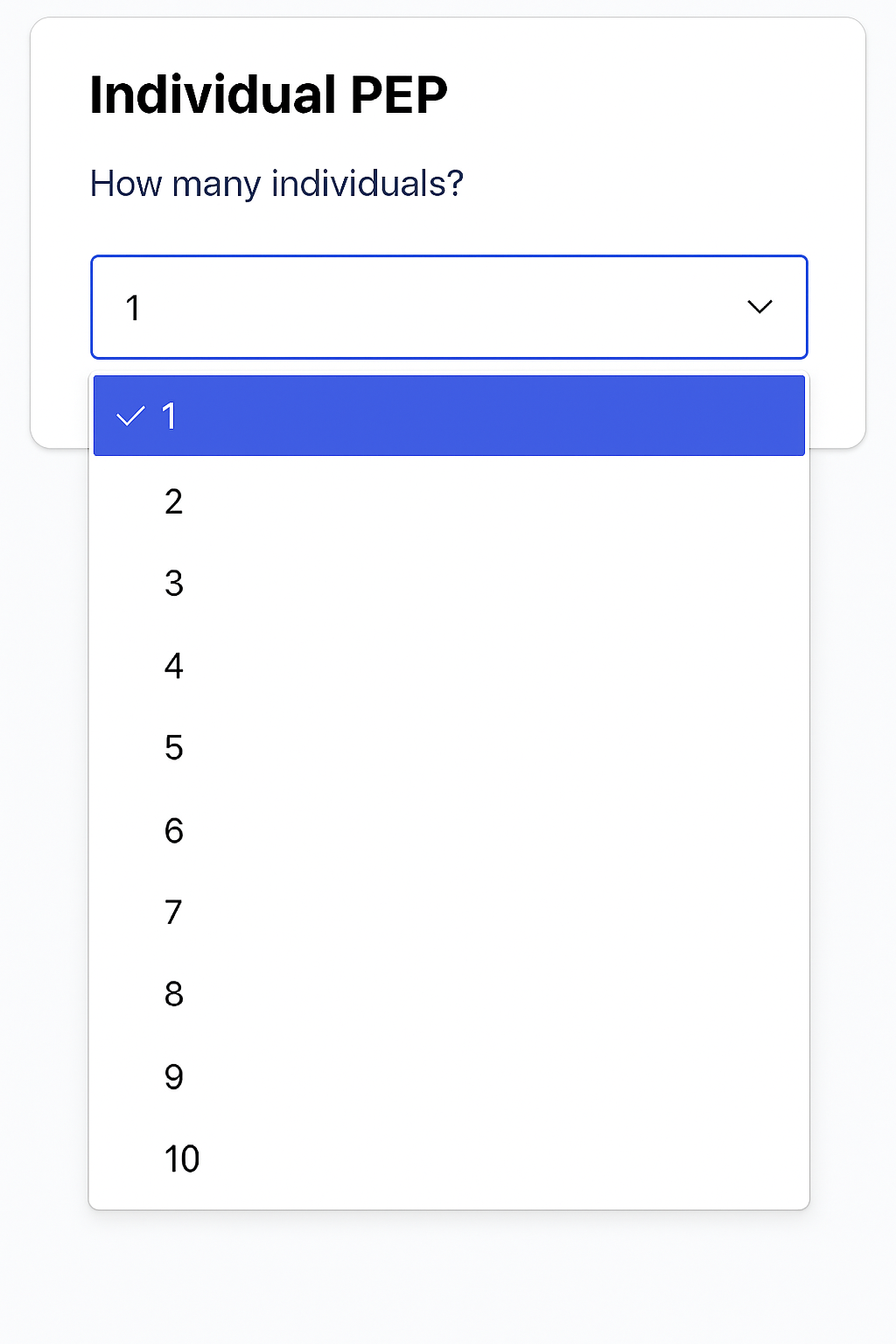
Select 1–10 customers to check. Optionally, add:
-
A reference label (for searchability in check history)
-
Notes relevant to the transaction
A reference label (for searchability in check history)
Notes relevant to the transaction
Step 3:
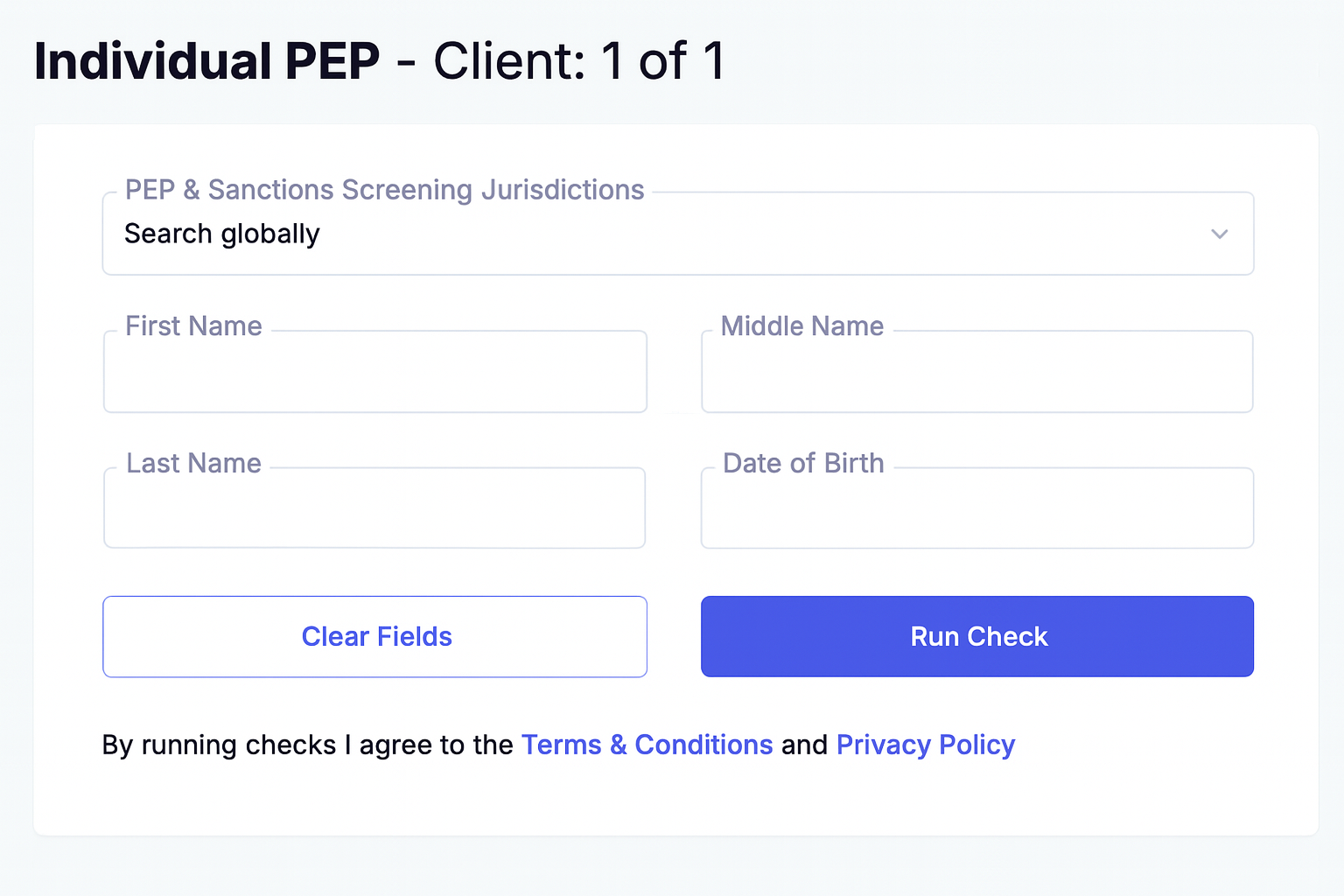
Enter:
-
First Name (mandatory)
-
Last Name (mandatory)
-
Date of Birth (mandatory)
First Name (mandatory)
Last Name (mandatory)
Date of Birth (mandatory)
Consent is not required. Click Run Check.
Result appears within 10 seconds with an option to download the PDF.

Step 4:
You’ll receive an email notification instantly if the PEP check is part of an IDV.
Understanding Results
Your result will be:
-
PASS – no match found across global watchlists
-
POTENTIAL MATCH – at least one match found on name or DOB
PASS – no match found across global watchlists
POTENTIAL MATCH – at least one match found on name or DOB
What Does a Potential Match Report Include?
Each PEP hit includes:
-
Full Name
-
Title
-
Country
-
Risk Type
-
Date of Birth
-
Images & Links (where available)
Full Name
Title
Country
Risk Type
Date of Birth
Images & Links (where available)
How to Interpret Potential Matches
Use these five checks to assess false positives:
-
Name mismatch: Does the match differ from your customer's full name?
-
DOB mismatch: Is the date off by more than a year?
-
Photo mismatch: Compare to the FaceMatch image.
-
Country relevance: Has the client not lived in the flagged country in the last 12 months?
-
Domestic PEPs: Some countries (e.g., NZ) exclude domestic PEPs by law.
Name mismatch: Does the match differ from your customer's full name?
DOB mismatch: Is the date off by more than a year?
Photo mismatch: Compare to the FaceMatch image.
Country relevance: Has the client not lived in the flagged country in the last 12 months?
Domestic PEPs: Some countries (e.g., NZ) exclude domestic PEPs by law.
Example Scenarios
Example 1 – PASS:
No action required.
Example 2 – Match in Domestic Jurisdiction:
If the match is in your own country and your AML law excludes domestic PEPs, no action required.
Example 3 – Strong Match:
All details (name, DOB, risk) align – enhanced due diligence likely required.
Example 4 – Image/DOB Mismatch:
Disprove using photo or DOB mismatch → Approve in history and leave a note.
Example 5 – RCA Match:
Match is to an RCA (e.g., Donald Trump Jr.). Additional due diligence required.
What if My Customer Is a True PEP?
You may be legally required to apply:
-
Enhanced Customer Due Diligence (EDD)
-
Senior management approval
-
Ongoing monitoring
Enhanced Customer Due Diligence (EDD)
Senior management approval
Ongoing monitoring
Covered Countries (Sanction Jurisdictions)
PEPCheck scans sanctions and criminal databases from over 240 countries, including but not limited to:
Australia, Canada, UK, US, EU nations, China, India, UAE, South Africa, Brazil, Russia, Saudi Arabia, and many more.
Watchlists Covered (Partial List)
PEPCheck screens against 2,000+ global watchlists, including:
-
United Nations Consolidated Sanctions List
-
US OFAC SDN List, Nonproliferation, BIS Entity List, AECA
-
UK HMT Sanctions List
-
EU Financial Sanctions List & Most Wanted
-
Interpol Red Notices
-
NZ Police Designated Terrorist Entities
-
Canadian Consolidated Sanctions & Terrorism Lists
-
Singapore Terrorism (Suppression of Financing) Act List
-
World Bank Ineligible Firms and Individuals List
-
And over 1,900 other law enforcement, financial crime, tax, and anti-corruption databases
United Nations Consolidated Sanctions List
US OFAC SDN List, Nonproliferation, BIS Entity List, AECA
UK HMT Sanctions List
EU Financial Sanctions List & Most Wanted
Interpol Red Notices
NZ Police Designated Terrorist Entities
Canadian Consolidated Sanctions & Terrorism Lists
Singapore Terrorism (Suppression of Financing) Act List
World Bank Ineligible Firms and Individuals List
And over 1,900 other law enforcement, financial crime, tax, and anti-corruption databases
(A full list is available upon request.)
Need Help or Want a Demo?
Support:
📧 support@realaml.com
Phone:
📞 AU: +61 423 321 383
📞 NZ: +64 4 889 4788
📞 CA: +1 226 741 0268
Book a Live Demo:
🌐 AU/NZ: Book with Jordan McCown
🌐 Canada: Book a Canadian Virtual Demo